
Startup variables

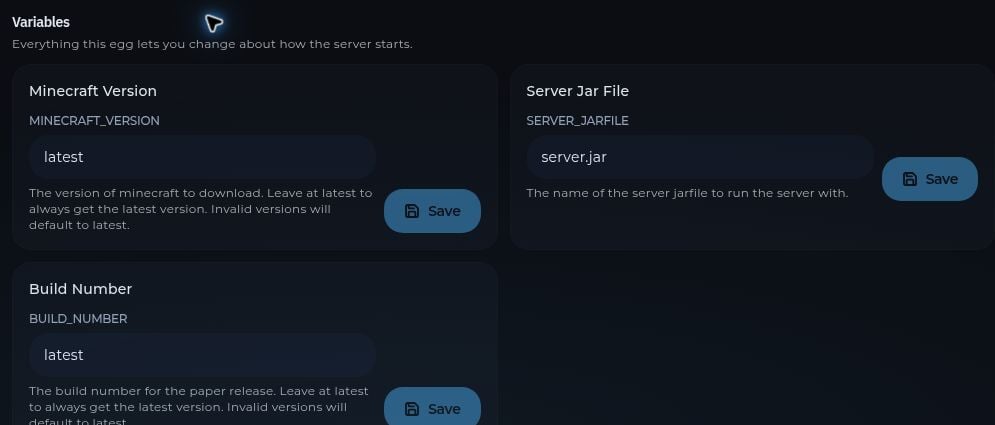
Open Startup to view the command, container image, and variables offered by your server’s game template. Each editable variable has its own Save button. Changes may require a restart. Avoid changing the jar name or other variables unless you know which file the server will run. Startup variables for a Paper server, including Minecraft version, jar file, and build number For Minecraft software changes, use the Version tool when available. It can coordinate the software download, jar, startup command, and Java image.
Server settings

Open Settings to change the server name and optional description. This page also shows your SFTP connection details, server information, and the reinstall control. Reinstalling reruns the game template’s install script and may overwrite files. Back up your server first.

Network allocations

Open Network to see the primary IP and port and any additional allocations available to your server. The Assign control adds an available allocation when your plan has capacity. Use the copy button for the exact address. A network allocation is a port assignment; it does not automatically configure a plugin to listen on that port.