
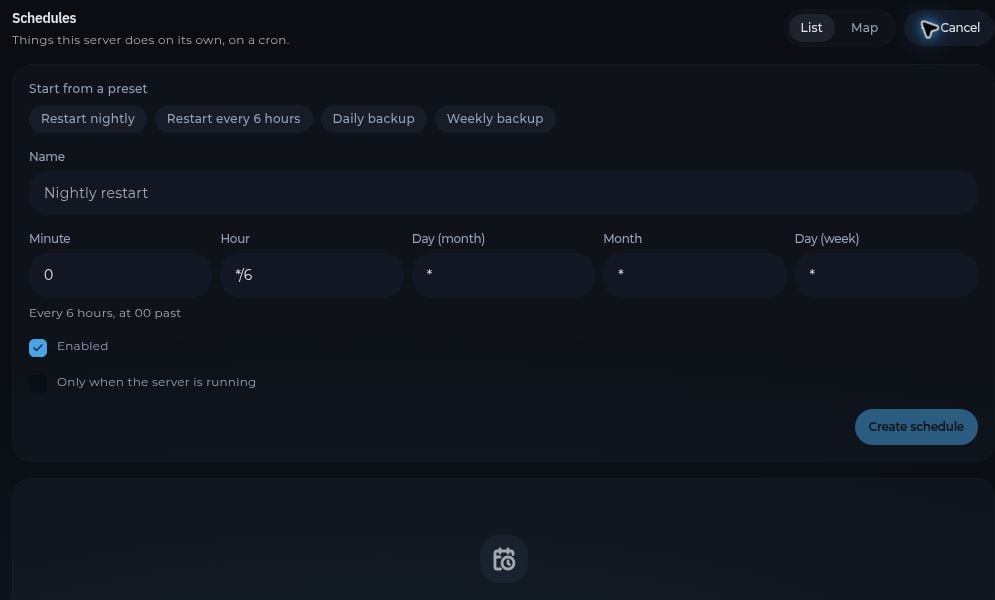
Open Schedules and select New schedule. The panel uses cron timing for recurring tasks. Create a schedule, add its tasks, then review the timing and order before enabling it. The New schedule form showing presets and cron timing fields Common tasks include a backup, a server restart, and a console command. For a routine restart, consider backing up first and allowing enough time for the backup to finish. Check the schedule after its first run to confirm that it worked as expected.
The List and Map tabs show the same schedules in different views. If a task does not run, check the schedule’s settings and the server’s Activity and Console pages.